
Project overview:
Case Management is a foundational initiative to create a unified, security-first workflow for managing investigations across incidents, hunting, and threat intelligence within the Defender ecosystem. The goal of the project was to replace fragmented experiences across SIEM tools and external ticketing systems with a centralized, integrated solution that supports collaboration, task management, evidence tracking, and reporting. By embedding case management directly into security workflows, the project aims to reduce operational overhead, preserve investigation context, and help SOC teams respond faster and more effectively to security threats.
My role:
I led the end-to-end UX for Case Management, managing two designers and owning the experience vision and strategic design direction. I partnered closely with product, engineering, UX research, and content design to drive early ideation, define the product direction, and ensure customer needs were reflected throughout the work. I was responsible for shaping the research direction, synthesizing insights, guiding design execution from concept through roadmap thinking, and aligning stakeholders around a cohesive, long-term experience strategy.
The final case management experience

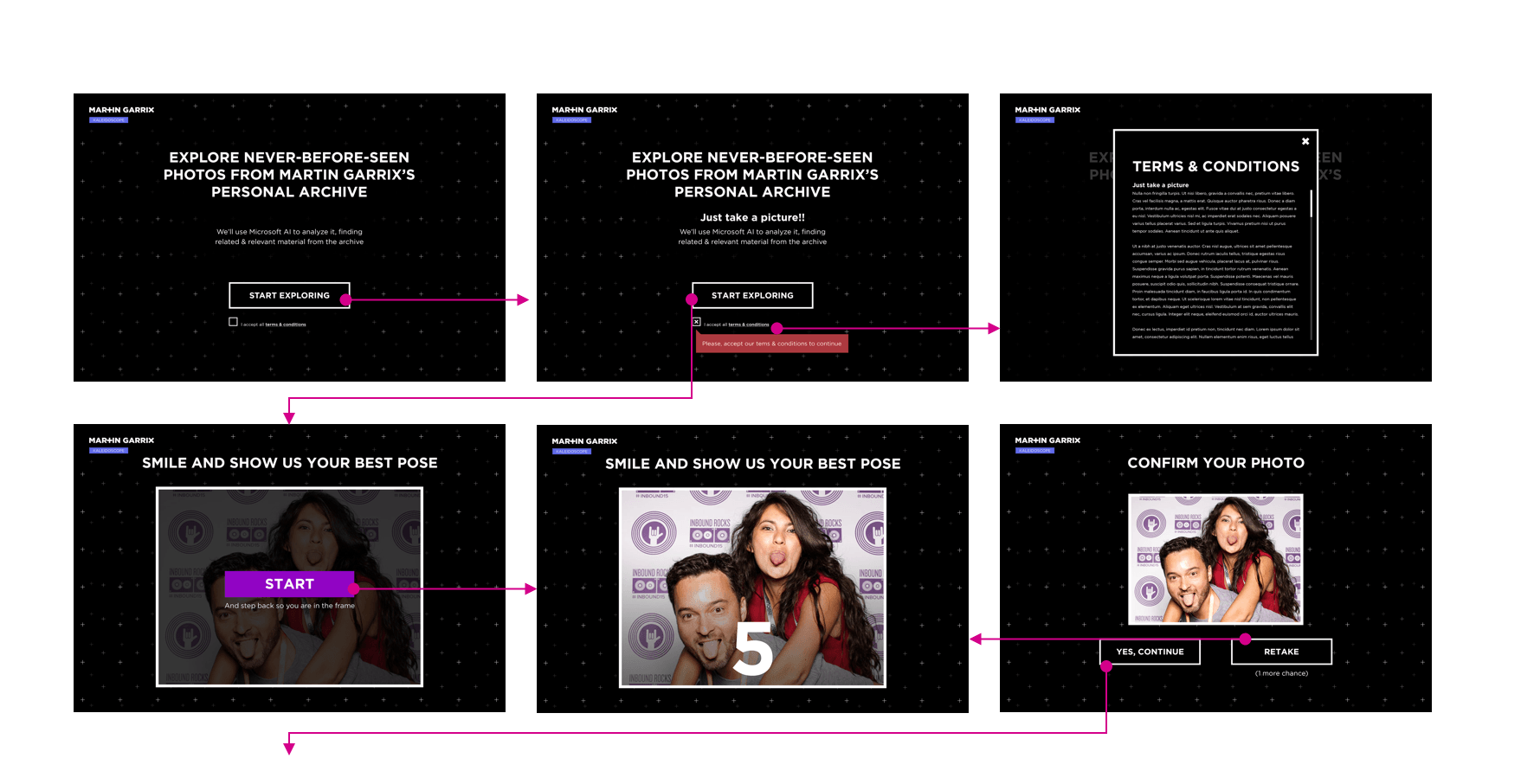
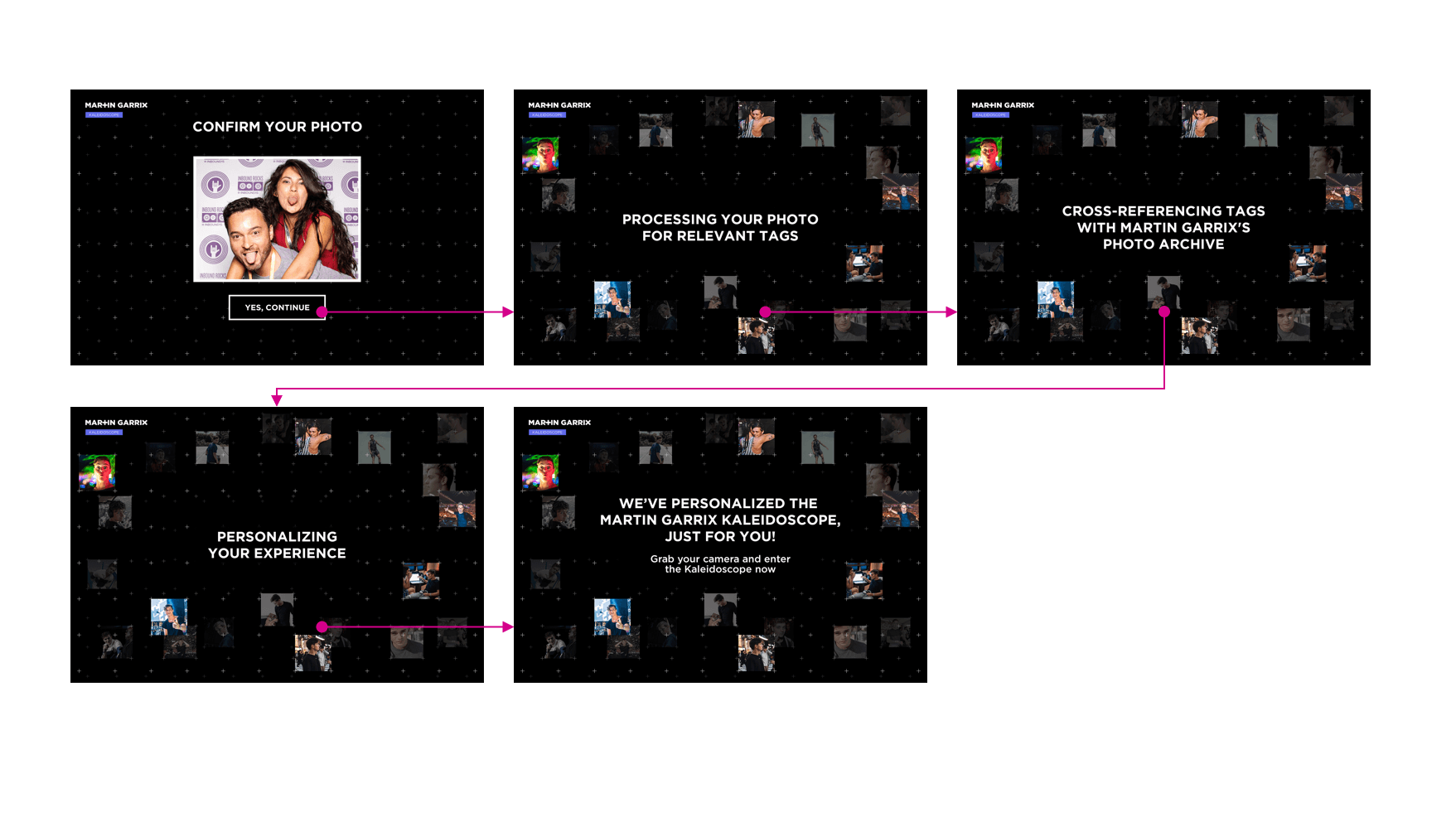
A user takes a selfie with a computer.
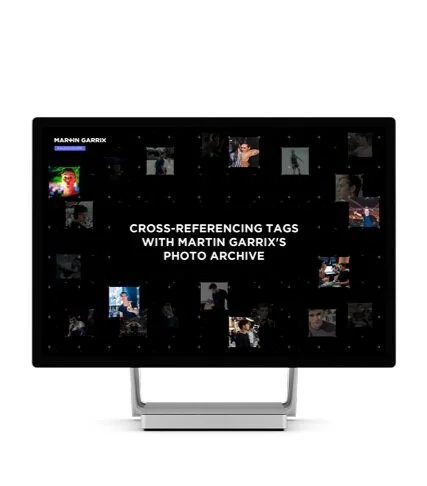
Microsoft AI analyzes the photo, tags it, and looks for the same tags from Martin Garrix’s photo archive.
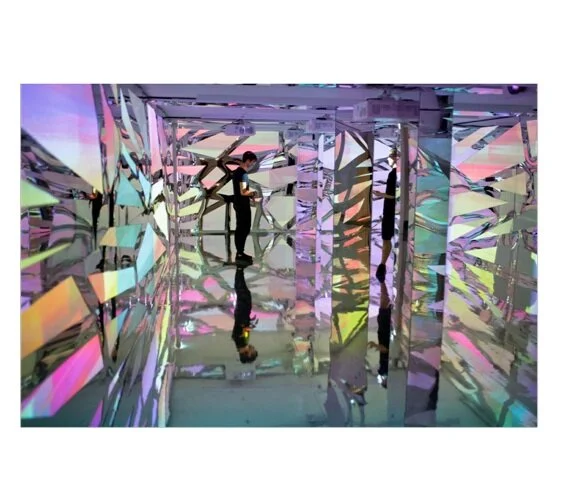
Eight photos with common tags are sent to the Kaleidoscope tunnel while the user walks through.
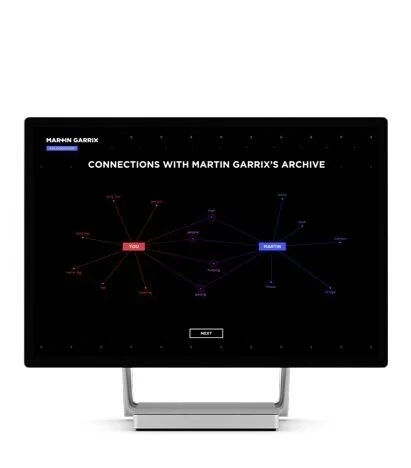
At the tunnel exit, the user can look at the common tags and explore the photo archive.
Team
Product – PMs and partner director driving vision, roadmap, and cross-team alignment
Design – Myself leading the effort with two designers, supported by design leadership/director
Engineering – Partnering on architecture, feasibility, and integration across SecOps systems
UX Research – Informing decisions through customer insights and validation studies
Content Design – Defining clear workflows, terminology, and communication patterns
The team
Product – PMs and partner director driving vision, roadmap, and cross-team alignment
Design – Myself as design lead with two designers, supported by design leadership/director
Engineering – Responsible for system architecture, feasibility, and platform integration
UX Research – Partnered closely to define research goals, validate concepts, and ground decisions in customer workflows
Content Design – Ensured clarity in terminology, workflows, and communication across complex SecOps scenarios
DISCOVERY
We began by grounding the work in customer reality. Through research studies, workshops, and stakeholder conversations, we focused on understanding how SOC teams currently manage investigations across incidents, tickets, and tools. Key questions included:
How do analysts track work and maintain context across investigations?
Where do current tools break down or create friction?
How do teams collaborate across roles, shifts, and systems?
Research revealed heavy reliance on external ticketing systems, frequent loss of context, duplicated effort, and unclear ownership—especially when investigations spanned multiple incidents or teams.
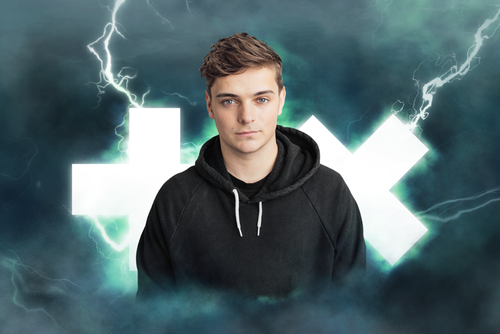
Who is Martin Garrix?
Martin Garrix is a DJ and music producer from the Netherlands. He released his first hit, Animals, in 2013 when he was 17 years old. He produces electronic music with a focus on dance. He was ranked Number 1 on DJ Mag’s Top 100 DJs list for three consecutive years, from 2016–2018. Between 2013 and 2018, Martin received 48 DJ and music award nominations, with 18 wins.
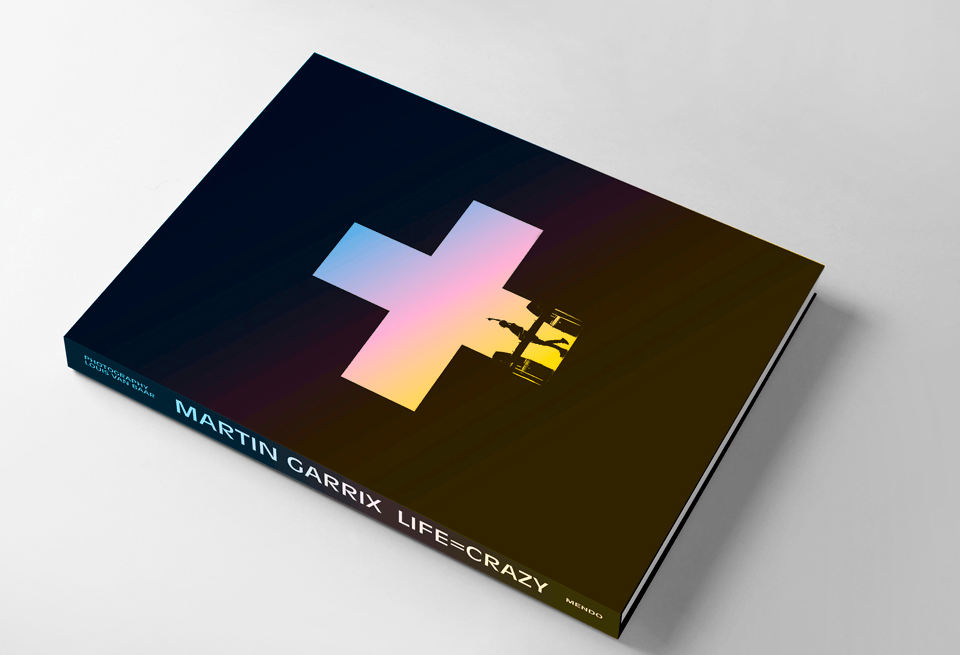
What is in the LIFE = CRAZY book?
It’s a 300-photo collection of Garrix’s up-close and personal moments with friends, family, other artists, and team members. The book allows fans a closer look at the life of the artist.
What to expect in the book launch?
The LIFE = CRAZY the book launch took place at X Bank in Amsterdam. It featured a live Q&A with Martin Garrix and his photographer, Louis van Baar, who shot all the photos for the book.
Who are the end-users in this project?
SOC Analyst (Investigator / Operator)
Primary day-to-day user managing incidents, performing investigations, creating tasks, and coordinating work. Needs fast access to context, clear task ownership, and seamless workflows to resolve incidents efficiently. [240828 Cas...- External | PowerPoint]
SOC Manager / Incident Lead
Oversees cases and team workload, focusing on prioritization, visibility, and coordination across incidents. Needs a high-level view of case status, progress tracking, and reporting to ensure effective operations and timely resolution. [240828 Cas...- External | PowerPoint]
Security / Threat Intelligence Analyst (Specialist role)
Contributes domain expertise (e.g., threat intel, hunting, vulnerability management) within cases. Needs the ability to attach insights, collaborate across teams, and integrate findings into broader case workflows.

SOC Analyst (Investigator / Operator)
Primary day-to-day user managing incidents, performing investigations, creating tasks, and coordinating work. Needs fast access to context, clear task ownership, and seamless workflows to resolve incidents efficiently.

SOC Manager / Incident Lead
Oversees cases and team workload, focusing on prioritization, visibility, and coordination across incidents. Needs a high-level view of case status, progress tracking, and reporting to ensure effective operations and timely resolution.

Security / Threat Intelligence Analyst (Specialist role)
Contributes domain expertise (e.g., threat intel, hunting, vulnerability management) within cases. Needs the ability to attach insights, collaborate across teams, and integrate findings into broader case workflows.

DEFINE THE PROBLEM
Based on research and stakeholder alignment, we defined the core problem:
SOC teams lack a centralized, security-native way to manage investigations, resulting in fragmented workflows, inefficient collaboration, and slower response times.
The opportunity was to create a unified case management experience that could scale across workflows while remaining flexible enough to support different investigation types.
IDEATE
I led early ideation with the design team, working closely with PM, engineering, and research to explore multiple directions for how case management could function across the platform. We explored different models for:
Case vs. incident relationships
Task and ownership management
Collaboration patterns across roles
Entry points and discoverability within existing workflows
These explorations helped us converge on a direction that balanced customer mental models, system constraints, and long-term platform goals.
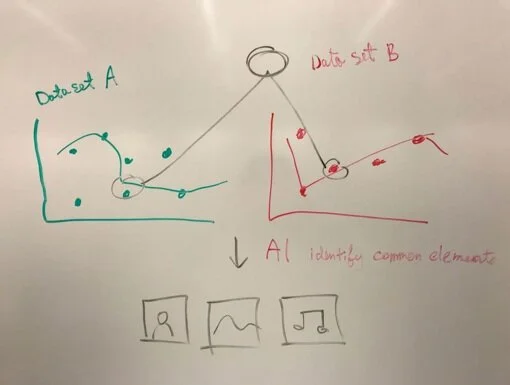
Idea 1: Knowledge graph
Use connected knowledge to bring data together across both music and photo content, finding the connections that may not be immediately obvious.
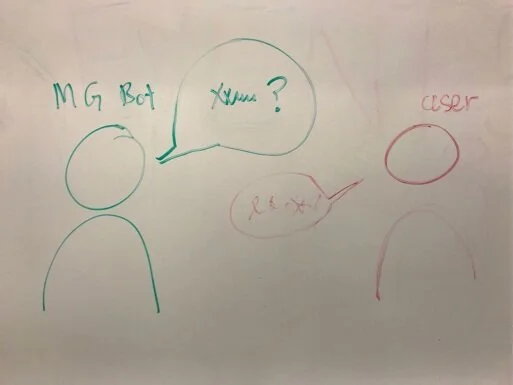
Idea 2: Martin Garrix bot
Use Martin’s voice with a live size robot to guide the user through information booths.
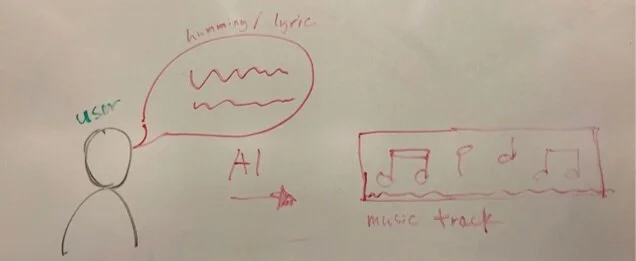
Idea 3: Humming melodies
Users hum melodies or read lyrics that can then be mixed with a particular track in an AI recording booth.
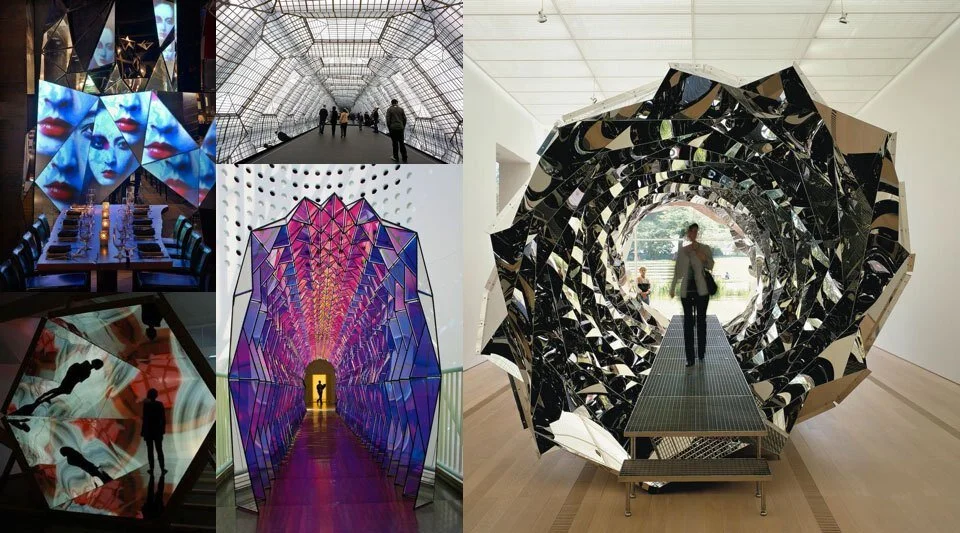
After discussions and brainstorm sessions with the partner teams, we opted for the knowledge graph paired with a life-size kaleidoscope. A few factors that influenced our decision:
· We had access to the artist’s unpublished photo archive
· We could use AI to tag and analyze photos and showcase Microsoft technologies
· An exclusive fan experience allowed fans to explore the photo archive
· Time and technological constraints
· Physical location and venue constraints
· Installation and equipment availability
Refining the ideas
Once we confirmed the physical installation and AI technologies, I worked closely with our internal teams and collaborated with stakeholders and partners to create a few different proposals.
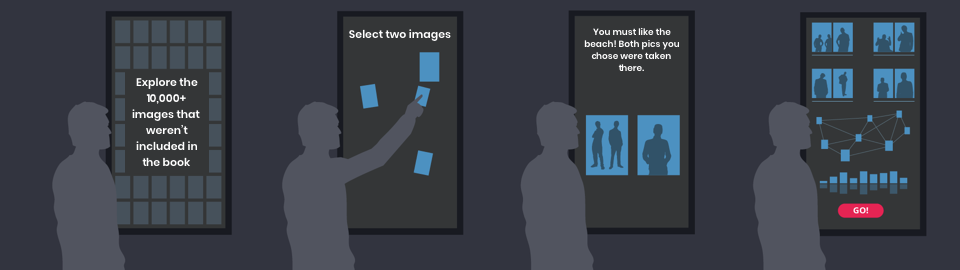
User flow 1
A. Introduction
The user walks up to a Microsoft Surface Hub and watches an introductory animation with thousands of images that weren’t included in the book.
B. Select images
Images from the archive float across the screen and the user selects the two they’re most drawn to.
C. The connection between two Images
The user sees their selected images and the connections the Vision API has found between them. The AI sources related images for the next round, allowing the user to go deeper into those themes.
D. Visualization of selected images
After the user finishes four rounds, they’re shown all the images they selected, along with a visualization of how their images are connected. They can send eight images to the physical kaleidoscope installation.
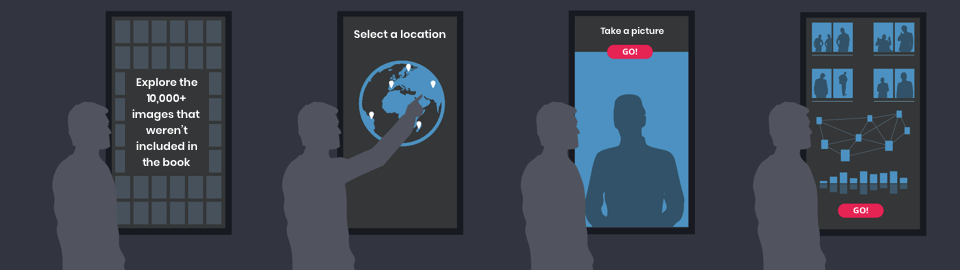
User flow 2
A. Introduction
The user walks up to a Microsoft Surface Hub and watches an introductory animation with thousands of images that weren’t included in the book.
B. Select location
A 3D globe will appear, highlighting places where Martin Garrix went. The user selects a location.
C. Finding images based on the user picture
The user takes a picture. The vision API identifies elements in this picture such as sentiment, number of people, or objects. The AI shows related images based on what was detected in the picture.
D. Visualization of selected images
After the user finishes, they see all the images found by the AI and how the images are connected. They can send eight images to the physical kaleidoscope installation.
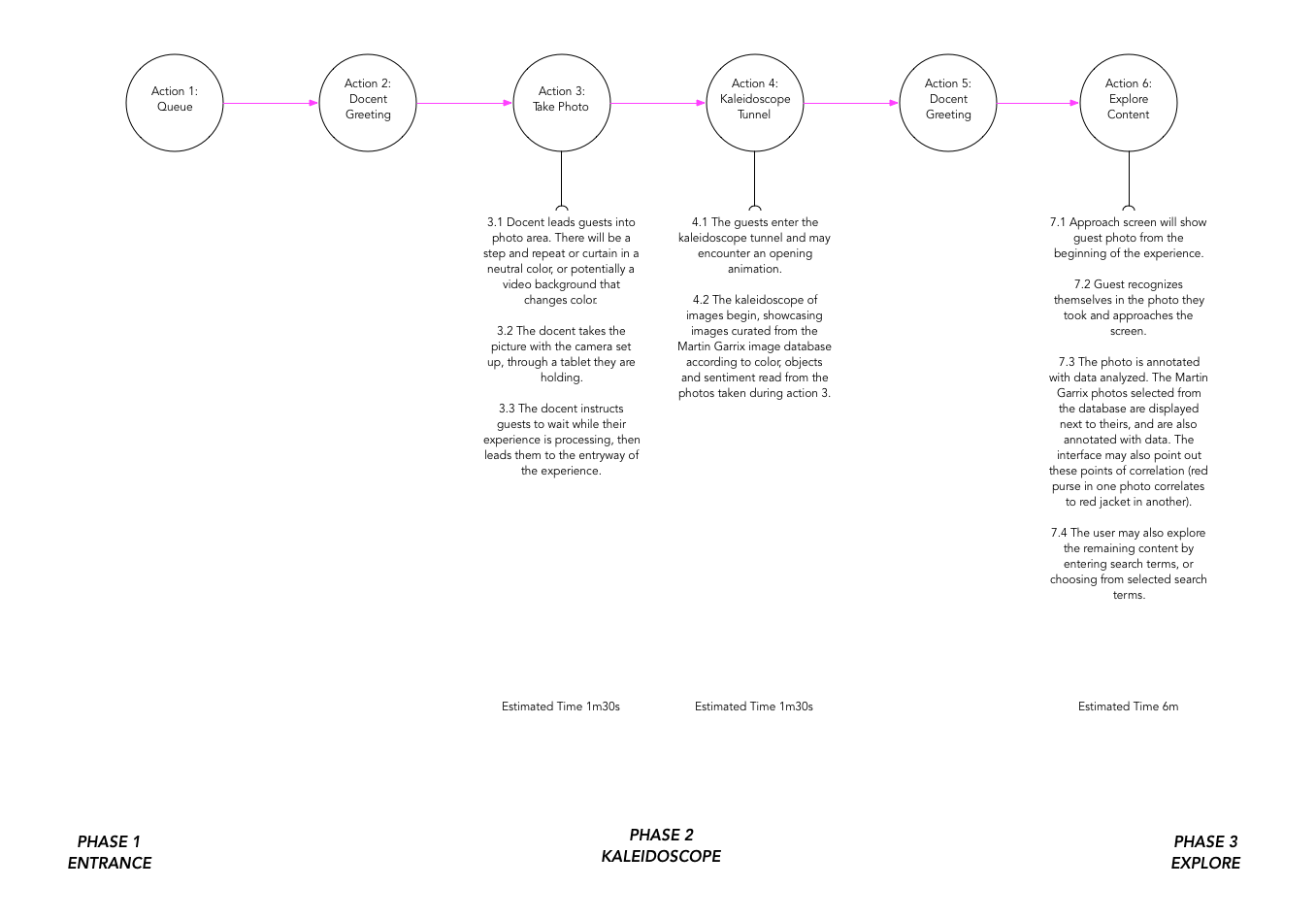
The physical installation agency refined the experience to accommodate crowd control and estimate a timed user flow.
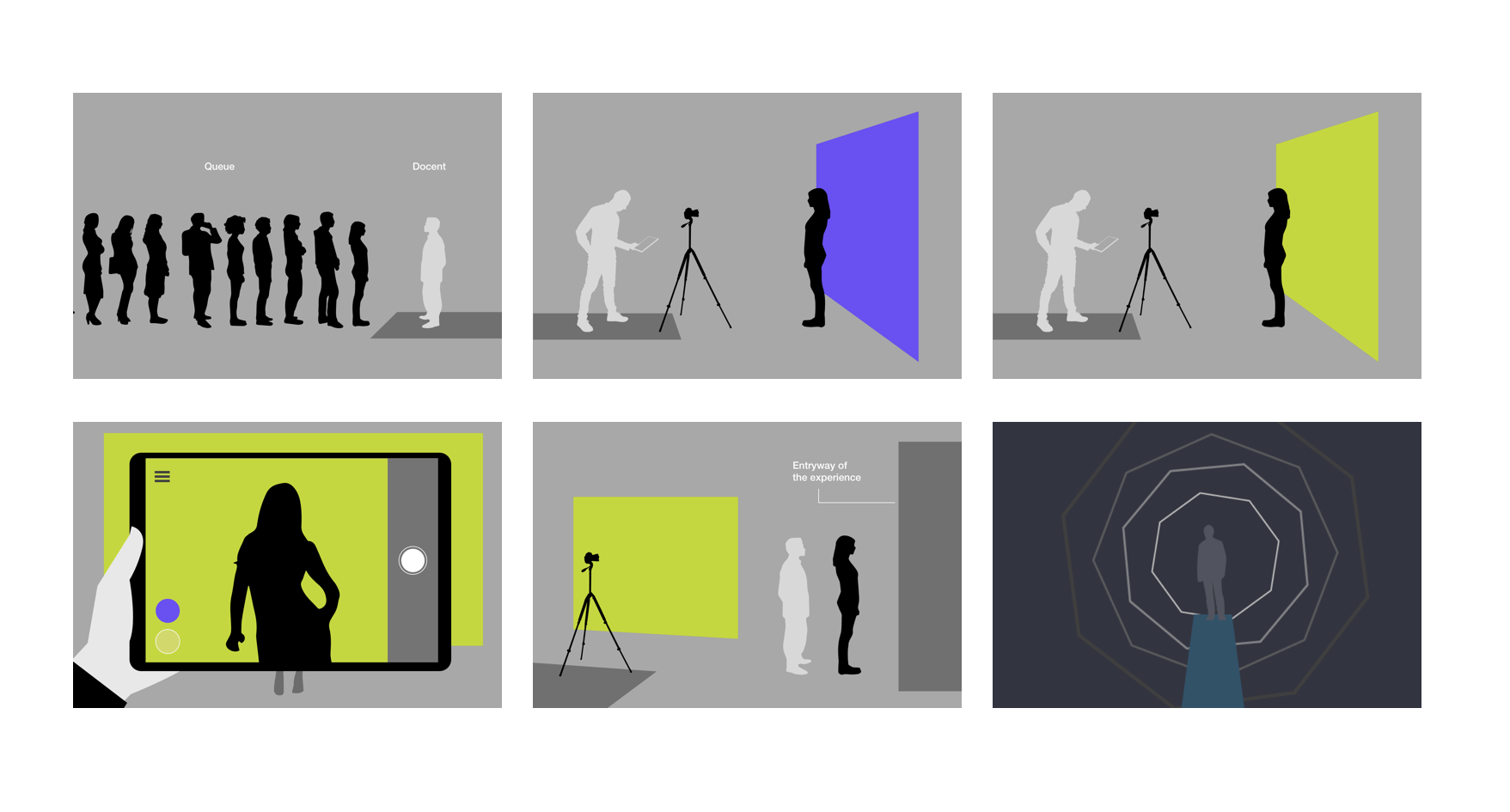
Physical experience visualized by team Plain Concepts.
Users line up at the entrance and take a photo at the photo booth. The vision API tags different elements found in the user’s photo. Then the AI looks for matching tags in Martin Garrix’s photo archive and sends the selected photos to the Kaleidoscope.
We considered several options for the setup at the entrance. For instance, we originally included props at a photo booth so the AI could pick up different graphic elements, but there was concern regarding the physical space. In the end, we decided to keep it simple and set up a Microsoft Surface Studio device at the entrance.
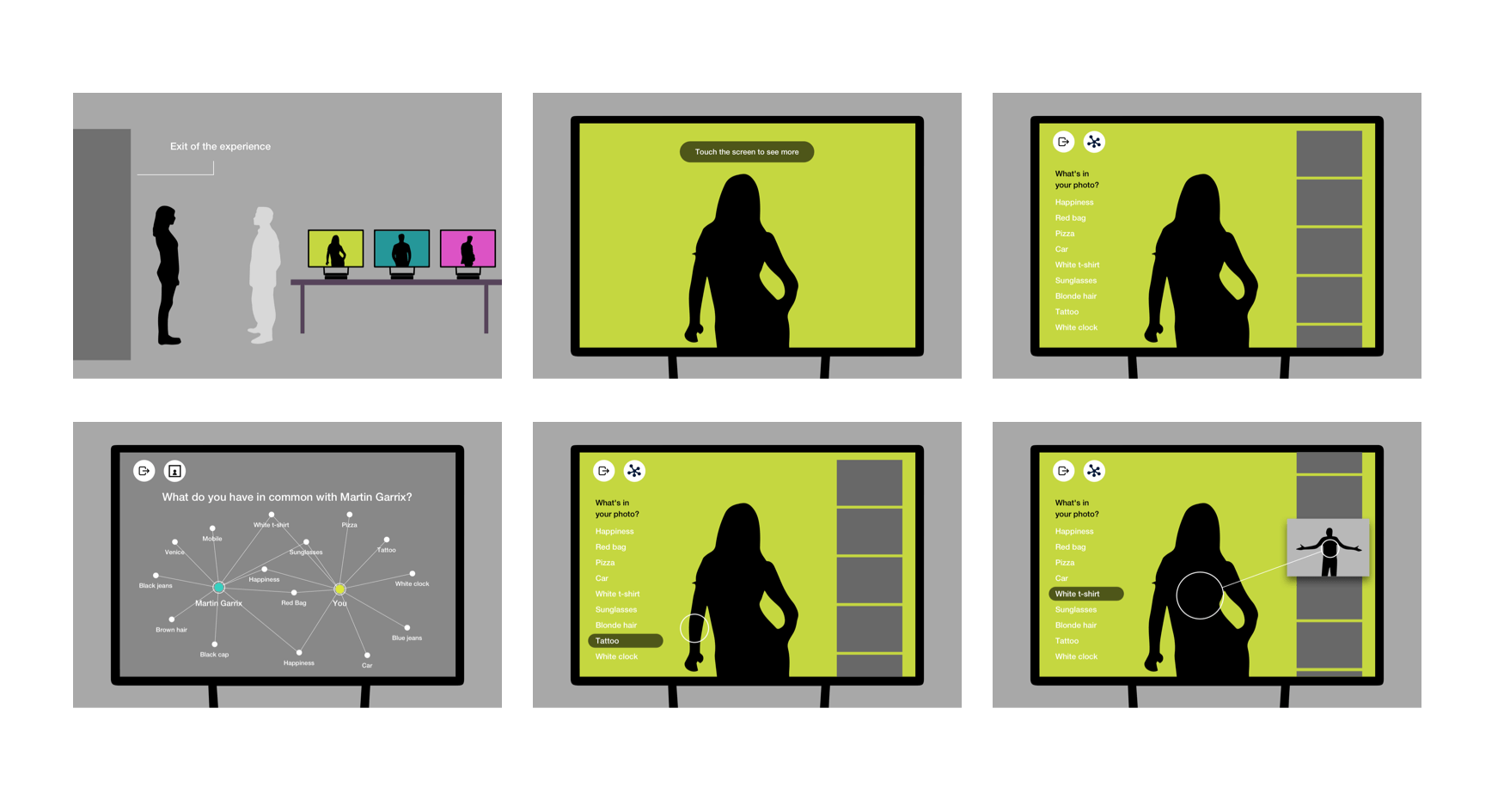
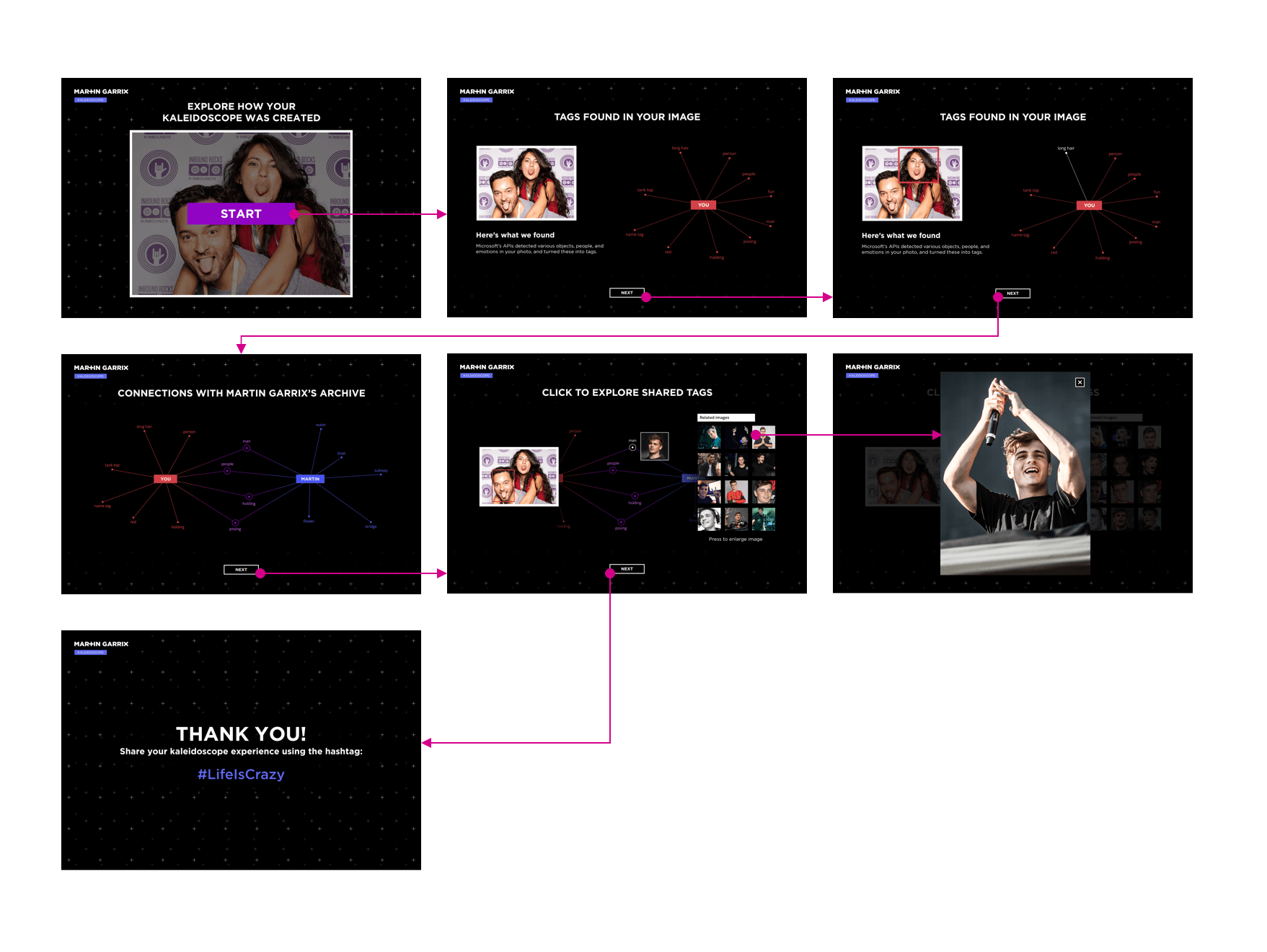
After the user exits the Kaleidoscope, computer stations allow them to further explore Martin’s photos and find out what they have in common.
PROTOTYPE
As concepts solidified, we moved into prototyping and iterative validation. I guided the team in translating research insights into concrete workflows, interaction models, and information architecture. Throughout this phase, I worked closely with content design to ensure terminology and messaging were clear and consistent, and with engineering to validate feasibility and scalability.
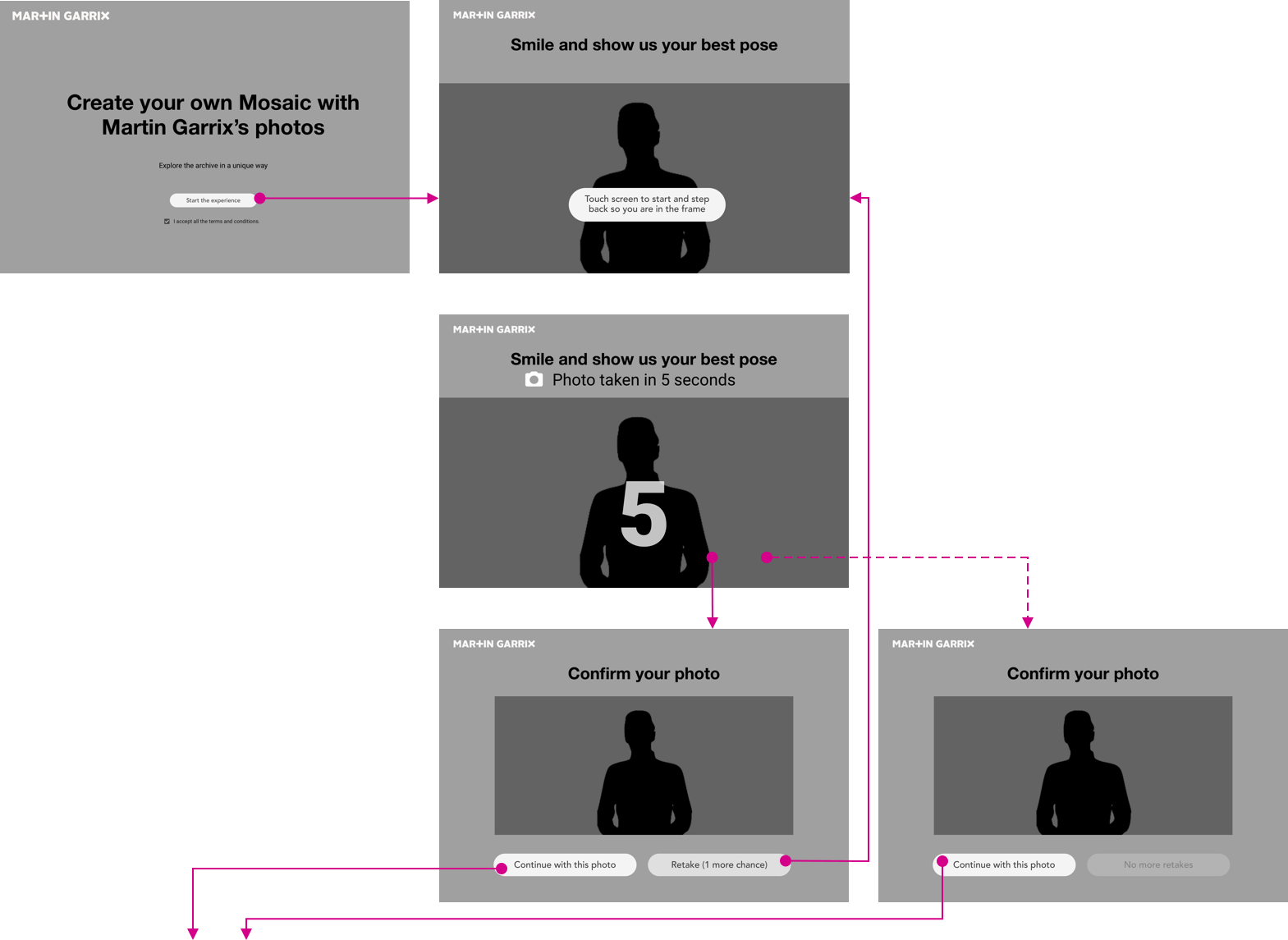
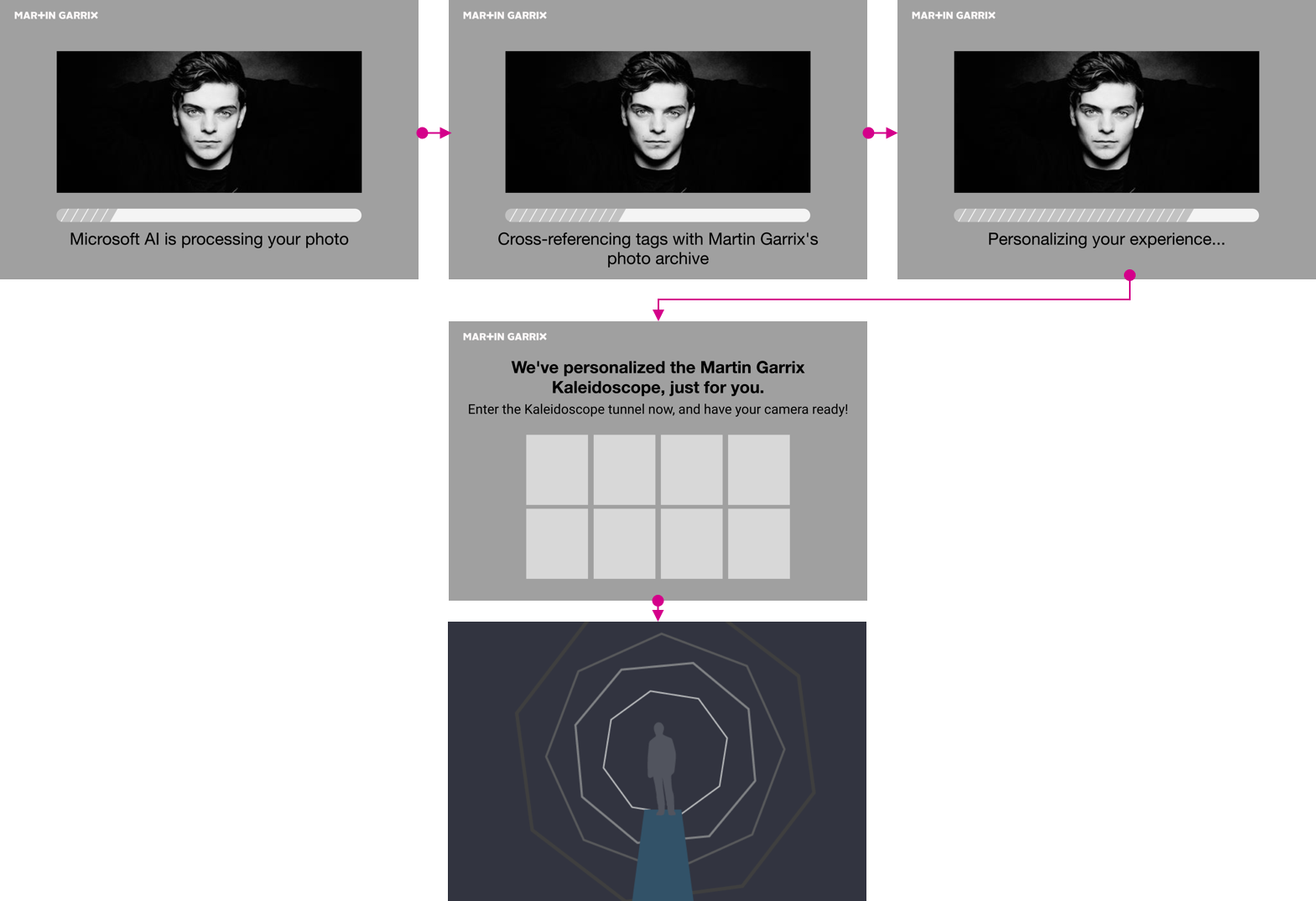
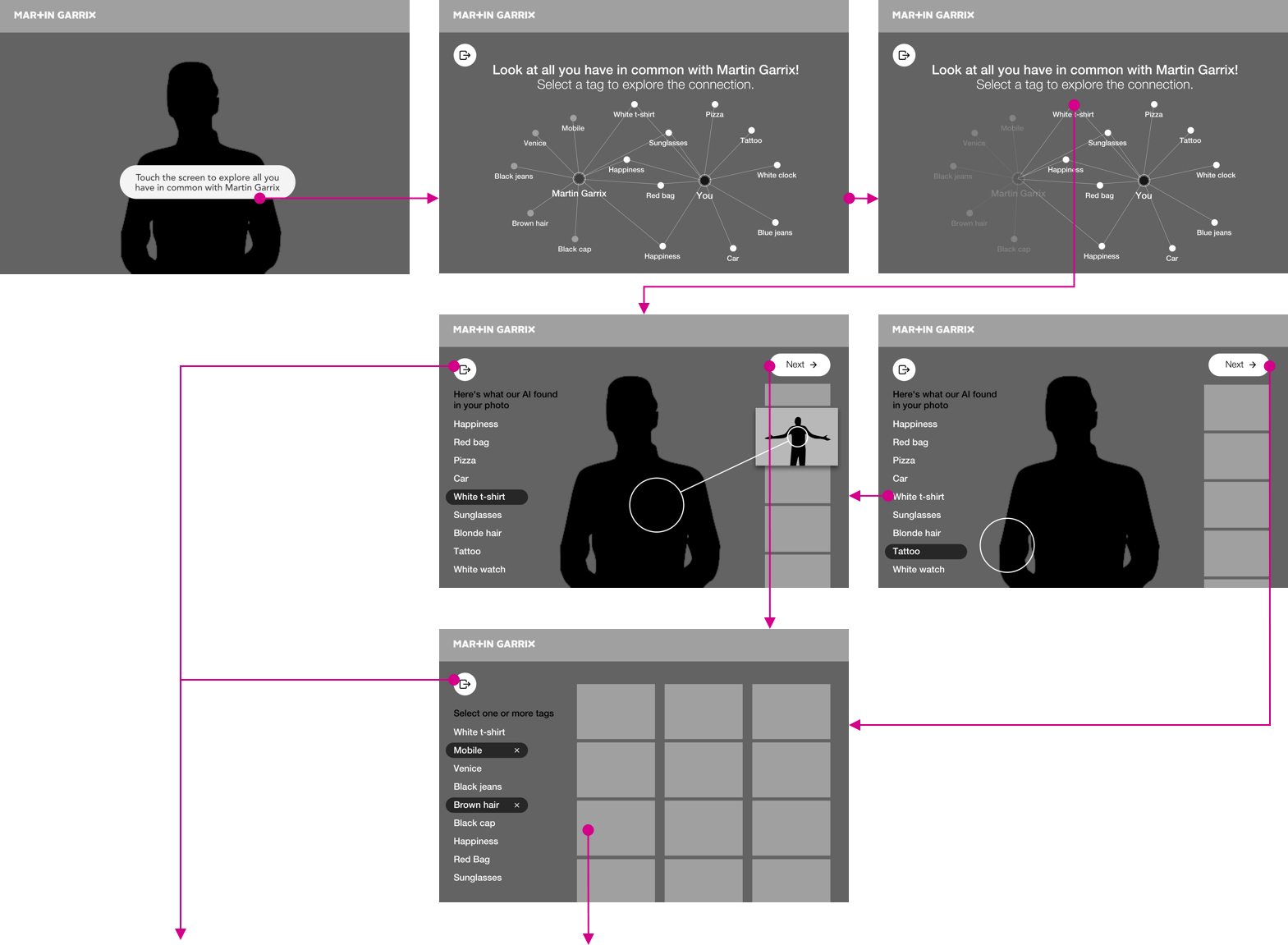
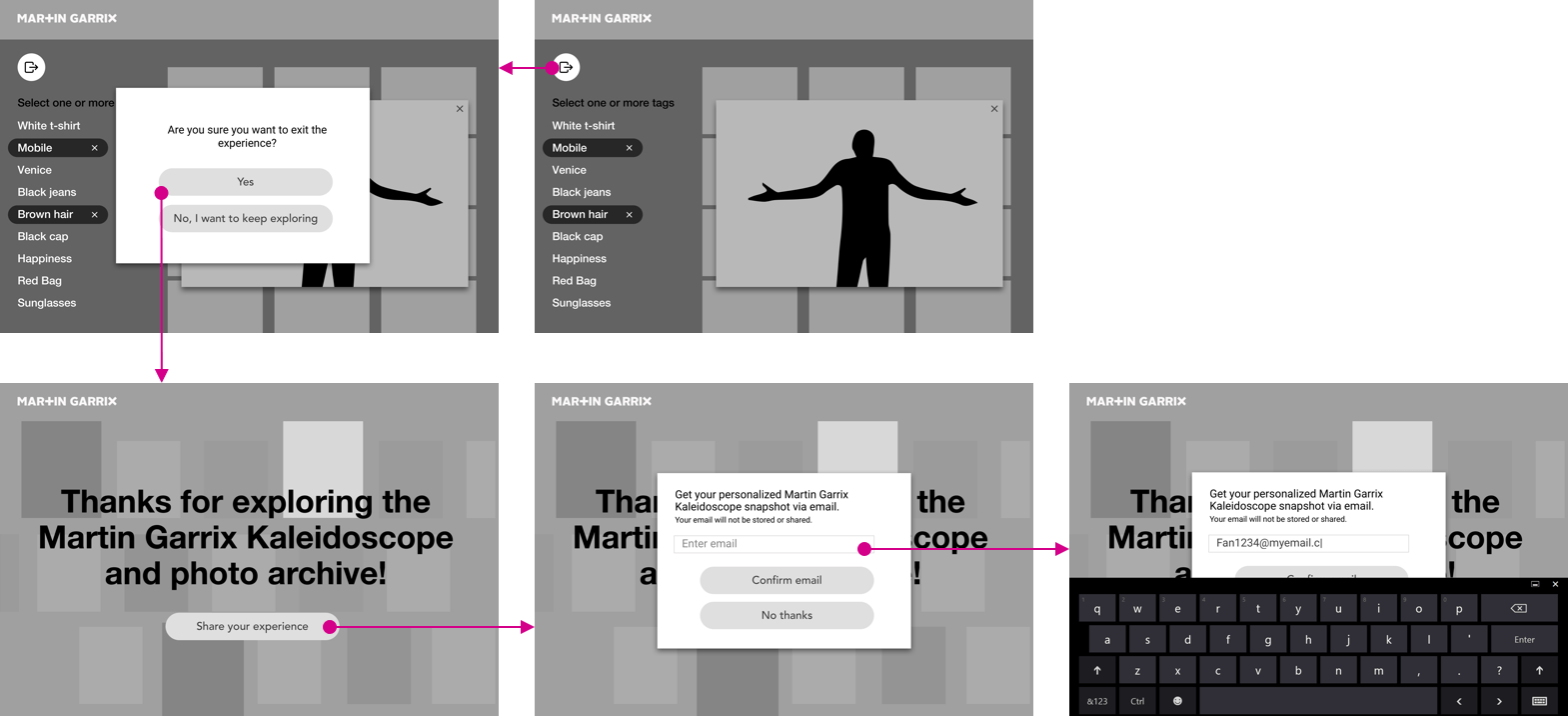
The visual design was produced by the Plain Concepts team. I was responsible for ensuring we had all the assets and branding guidelines from the artist’s team, and communicating expectations across both internal and external teams. During the design process, I had daily meetings with the designer to oversee the design and provide UX/creative direction.
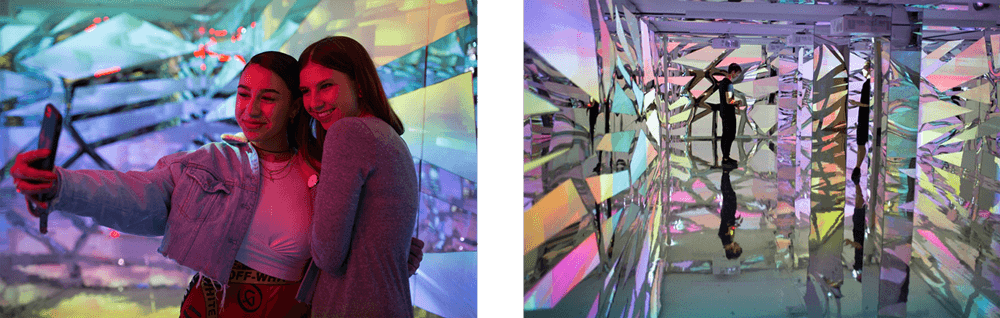
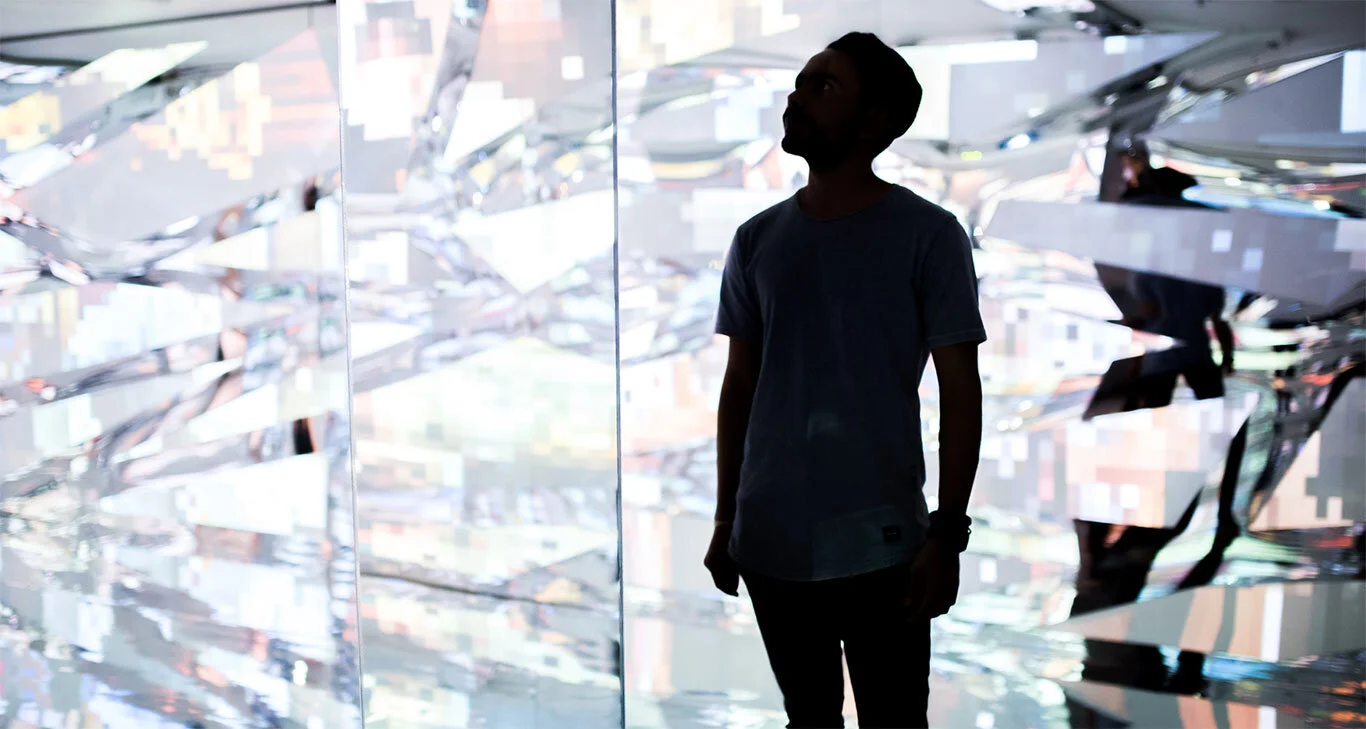
Fans enjoy themselves in the Kaleidoscope tunnel.
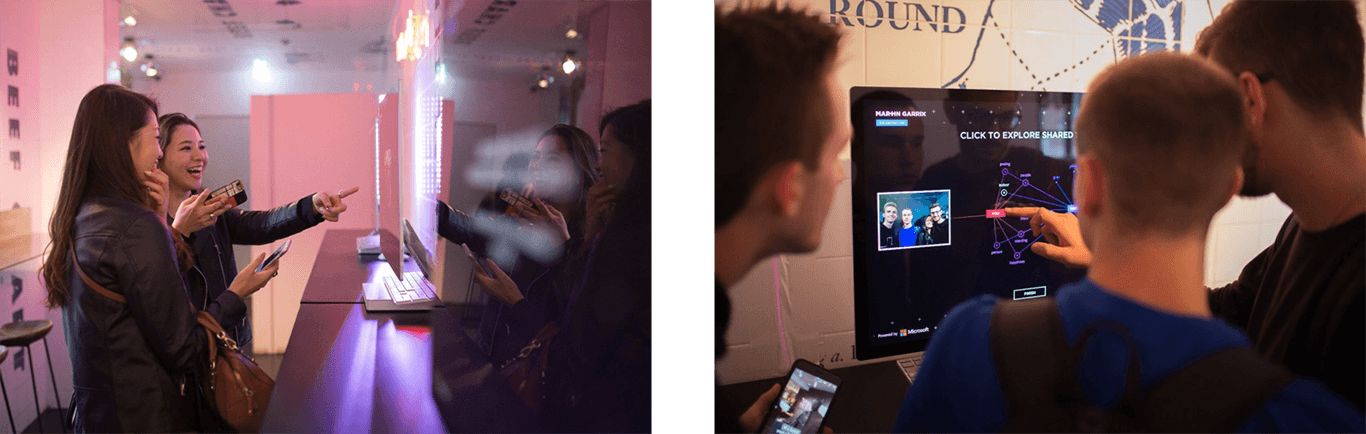
After exiting the Kaleidoscope, fans get to explore the AI and Martin's photo archive.
Users see a Microsoft Surface Studio with their entry photo. Users can use that computer to start exploring.
We wanted the user to have enough time to play with the connection diagram. To avoid a backup, we provided three computer stations at the exit.
RESULTS
The work resulted in a clear, aligned experience vision for Case Management, supported by validated concepts, design direction for MVP and beyond, and a roadmap that balanced immediate customer needs with long-term strategy. The project established a strong foundation for unifying SecOps workflows, reducing dependency on third-party tools, and delivering a more cohesive, efficient investigation experience for customers.
users at event
YouTube Views
out of 600+ MS videos
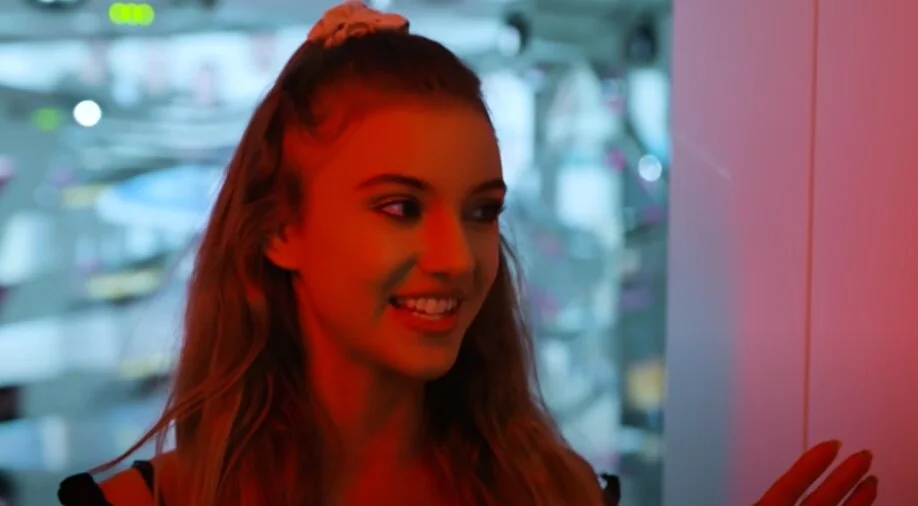
“ It was so nice to get to see unseen photos of my favorite artist. “